Goal planner app: Turn a big goal into action.
Smart Goals is the goal planner inside ActionReward: describe a big goal and get actions you can start today.

Break a big goal into steps.
Setting the goal takes one sentence; Smart Goals breaks it down into an action plan of small tasks. In the draft above, “Learn guitar basics” becomes four actions: tune the guitar, practice three open chords 12 times, learn a strumming pattern over 6 sessions, then play one full song start to finish.
-
Describe it
Type or say the goal in plain words: “Run my first 5 km in 6 weeks”, “Read 12 books this year”, “Learn the basics of guitar”. The plan comes back in your app’s language.
-
Keep what fits
AI-powered Smart Goals drafts up to 10 ready-to-go actions: one-time steps, and practice with a count, done once a day or anytime. Tap to keep or remove, or regenerate the draft.
-
Split a big one
A bigger goal can come back as a goal tree: milestones, each a smaller goal with up to 6 actions and its own finish date. “Break down with AI” adds milestones to any goal later.
-
See the finish
Every plan shows a realistic finish date, sized for a normal life: “Realistic finish ~ Nov 19”.
-
Race the clock, if you want
Keep the goal relaxed, or give it a deadline that can multiply your whole day.
How time challenges work
Time challenges: Beat the clock. Multiply the day.
Pick a pace when you create a goal, or later with “Make it a challenge”. The deadline comes from the plan’s own estimate.
Finish every action in the plan and claim the goal in time, and the claim multiplies your whole day’s Mult. A countdown shows the time left, with an On pace or Behind pace label, and every win adds a trophy to your Profile.
Run out of time and the goal still counts at its usual multiplier: “The timer ran out — but you finished. It still counts!”
- ×2 Easy More time than the estimate
- ×3 Medium The estimate itself
- ×5 Hard Less time than the estimate
Goal actions score richer.
Every drafted action already shows its card: Standard, Bonus or Gold. Inside a Smart Goal, Bonus and Gold turn up three times as often as on actions you add yourself. A Bonus claim multiplies the whole day’s Mult ×1.25, a Gold one ×2.25.
Claiming the goal itself adds its planned points as Chips, then multiplies the whole day, more after a won challenge. See how a gamified to-do list scores.
Bonus Whisper and Gold Whisper make Bonus and Gold actions turn up more often still, and Dragon Hoard snowballs a Gold day: three of the 12 Jokers. The next morning, your day turns into Silver to spend on them. That’s a to-do list that rewards you.
-

More Bonus actions
-

More Gold actions
-
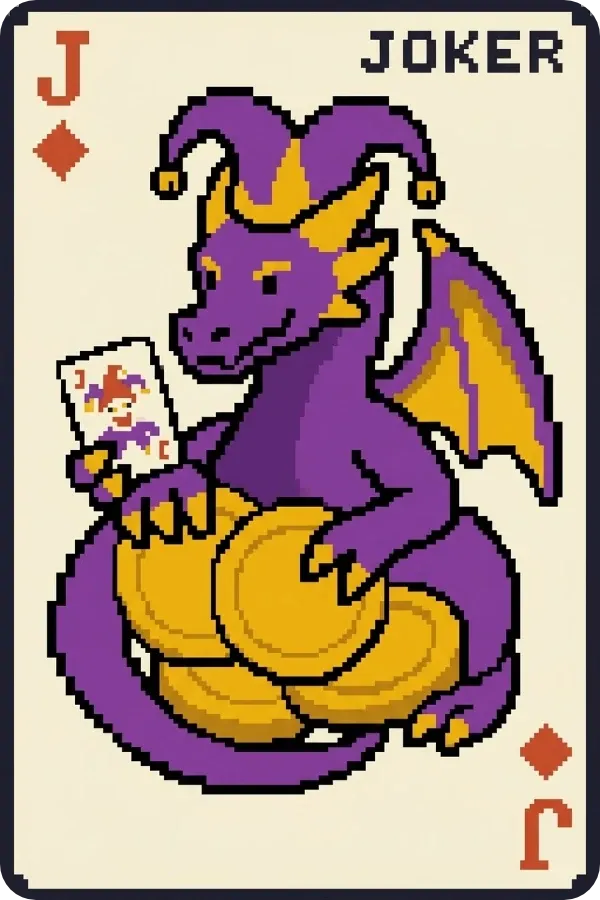
Snowballs a Gold day


Your plan, on your list.
The actions you keep become real actions in your daily to-do list, marked with the goal’s flag, and the Goals tab tracks how far each goal has come.
They keep the skills their plan gave them, so every tick also grows the life skills it trains: the RPG habit tracker side of the app.
A running challenge can remind you when its deadline is near: turn on “Enable reminders” in Settings → Notifications (“Goal deadlines” is on by default) for a “Goal deadline approaching” reminder. See how reminders work.
Once every action is done, the goal is ready to claim; a goal with milestones waits for them first. Changed your mind? Abandon it: that deactivates all its actions, daily ones included, so they won’t come back tomorrow.
Questions, answered.
Is Smart Goals free?
Yes, within a weekly allowance it shares with AutoSkills and the Weekly Coach. Every draft, redraft and break-down uses some of it, and it resets every Monday. Premium gives you 10× the weekly usage. What Premium adds
Is this the SMART goals method?
No. Smart Goals is just the feature’s name: it drafts actions from the goal you describe, and it doesn’t walk you through the SMART acronym.
How does Smart Goals make a plan?
AI-powered Smart Goals breaks your goal into up to 10 ready-to-go actions, each with a finish line: a one-time step, or a count such as 12 times, once a day. A big goal can split into milestones of up to 6 actions each. You choose what to keep.
What if I miss the challenge deadline?
The goal still counts. Finish the plan and claim it as usual; you just don’t get the challenge’s ×2, ×3 or ×5, or its trophy.
Can I say my goal instead of typing it?
Yes. The goal prompt has a mic for dictation in 13 languages. On iPhone it tries on-device recognition first.
Can I change the plan?
Yes. Before you add it, keep or remove each drafted action, or regenerate the draft. After that they’re normal actions you can edit, reorder or delete. During a time challenge, keep every action: delete one and the challenge is lost, though the goal still counts. Moving a milestone in or out pauses the challenge: set a new pace or keep it relaxed. A goal you no longer want can be abandoned, which deactivates all its actions, daily ones included.